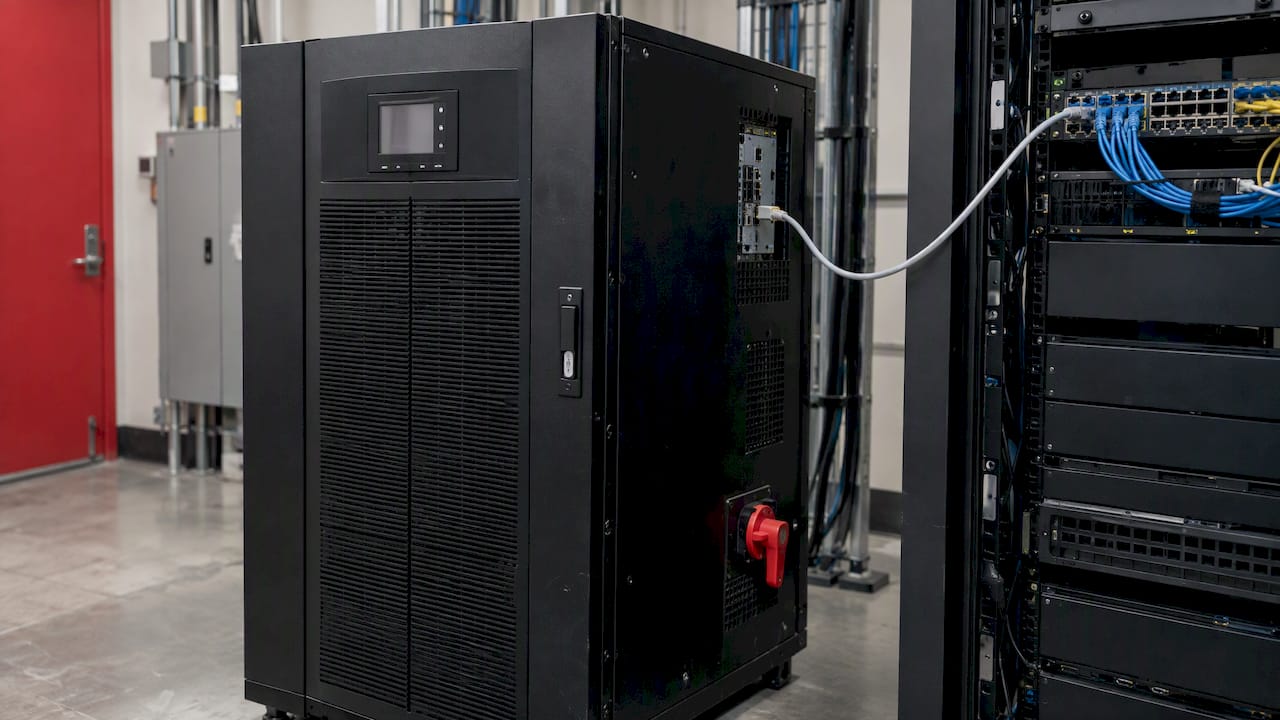
UPS monitoring integration involves extracting battery status, load, input values and alarm conditions from the UPS and into systems you already monitor; whether that’s your NMS, DCIM, BMS or SCADA layer. Insert a network management card capable of SNMP, Modbus or BACnet communication, map the predefined set of status values and alarms, define thresholds with escalation protocol and secure and test the connection. A UPS that only beeps in some back room is a UPS you hear about when it fails.
This article shows you how that's done from the perspective of an integrator. It explains what information a UPS exposes, how that information is communicated, how to create alarms, and how to secure the connection against becoming an attack vector.
Integrate UPS Data with Your Stack
PODTECH custom builds software and connects BMS, PMS and NMS together for environments where failure is not an option. Learn More About PODTECH
TL;DR
- Connect to UPS data using a network management card or gateway device with SNMP protocol for IT monitoring and Modbus or BACnet protocols for building/power system monitoring.
- Support monitoring battery state, runtime, load, input, output voltage, temperature and event logs instead of just "on mains / on battery".
- Set thresholds and a named escalation chain such as NOC, manager and executive pre-go-live and validate with actual transfer events.
Remove or firewall UPS management interfaces from the public internet. VPN, MFA, and use non-default credentials where possible, per USG recommendation.
One integration beats five dashboards: streamline UPS data with the same platform that monitors cooling, generators and power quality.
Table of Contents
- What a UPS can tell you
- Protocols and interfaces for UPS integration
- How to connect UPS telemetry step by step
- Thresholds, alerts and escalation
- Securing a UPS monitoring integration
- Testing the integration before you trust it
- Our perspective: integration is a software problem
- How PODTECH can help
- FAQ
- Sources
What a UPS can tell you
All teams begin by polling: is UPS on mains or on battery? That's about the least helpful thing they can tell you. Modern UPS' with network cards expose a wealth of information.
Published lists of monitored inputs include battery charge and status; runtime remaining; load percentage, input voltage and frequency, output voltage and frequency; temperature; and logs of failure, switchovers, overloads (DediRock). Documentation for Schneider Electric’s building management cards goes into greater detail. It monitors line quality, battery capacity, battery voltage, internal temperature, load current, output-load percentage and environmental temperature and humidity (Schneider Electric).
Why should you care? Because trends forecast failures. A battery whose runtime decreases over time, a load creeping up to capacity, a module running hotter than its peers: each can be detected weeks before failure if something or someone is watching.
The values worth tracking
The Network UPS Tools project maintains a list of common UPS variables such as load, temperature, self-test status and alarms (NUT variables). Here's how we've broken them into groups for an enterprise integration:
| Group | What to collect | Why it matters |
|---|---|---|
| Battery | Charge, state, remaining runtime, time on battery, replacement flag, self-test result | Predicts ride-through failure before the next outage |
| Load | Load percentage, output current | Shows headroom and overload risk |
| Input | Voltage, frequency, out-of-tolerance events | Reveals utility problems and generator behaviour |
| Output | Voltage, output source (normal, bypass, battery) | Confirms what the critical load actually sees |
| Environment | Internal and room temperature, humidity | Heat shortens battery life |
| Events | Alarms, transfers, overloads, test history | Gives a timeline for root-cause analysis |
The baseline SNMP definition of these objects is the UPS MIB from RFC 1628, which define objects for generic management of UPS units. Most vendors layer their own MIBs on top of that, so figure out which one your units actually expose.
Protocols and interfaces for UPS integration
Which protocol do you use depends on who will be consuming the data. IT Ops tend to want SNMP. Facilities/powerscape teams tend to want Modbus or BACnet. Eaton has a great brochure covering connectivity that lists SNMP, Modbus TCP/RTU and BACnet as the popular way into IT/facility systems, with industrial protocols tying the UPS units into a BMS ( Eaton PDF ).
SNMP: the default for NMS and DCIM
SNMP is what most network monitoring software understands. The open-source NUT framework monitors UPS devices using SNMP. ups.conf contains the driver configuration parameters including security level and credentials (NUT snmp-ups). SNMPv3 should be used whenever possible. NEVER use a community string like "public" in a data hall, only in lab.
SNMP operates in two ways. Polling, where the monitor requests every N seconds, and traps, where the UPS sends an event. Use both polling and traps. Polling allows you to see trends. Traps allow you to see the exact second a transfer occurs.
Modbus and BACnet: the route into BMS and PMS
Building and power management systems typically talk Modbus or BACnet. Modbus is easy, ubiquitous and trivial to map out register by register. See our Modbus glossary entry for details. BACnet fits nicely into building management systems environments, and its secure version is good to know about if your campus is going in that direction: read our BACnet Secure Connect explainer.
The downside is mapping effort. SNMP provides you named objects. Modbus provides you register numbers. Someone has to build and maintain the point list. Plan accordingly.
Physical interfaces and dry contacts
Not all UPS units are networked. USB and RS-232 ports are used to connect a UPS to a single computer for data exchange. Relay ports provide dedicated programmable dry-contact outputs which can be used for alarms or reading UPS status (Eaton). Dry contacts are primitive, but reliable. Often they provide the fastest method of integrating an older unit into a BMS as a simple "on battery" or "fault" point.
Another warning from the same guide: remote on/off and remote power-off inputs can turn a UPS off. Consider those inputs safety-critical wiring. Document and exclude from overall monitoring.
How to connect UPS telemetry step by step
This is how we approach integration projects. Whether you have one server room or many sites throughout your estate.
- Inventory all UPSes. List model, firmware, network card model, location, what device it's protecting and who owns it. Older units may not even have a network card installed.
- Decide on interface per unit. Prefer SNMPv3 enabled network card. Modbus or BACnet gateway if the BMS will own that data. Dry contact as last resort with legacy equipment.
- Isolate management traffic onto its own network.
Have a dedicated management VLAN or out-of-band segment, which names the monitoring servers in its firewall rules and nothing else.
- Enter the point list. Select the values you want from the table above. Enter for each the source, whether MIB object or register, polling interval, unit and alarm thresholds.
- Normalise the data. Vendors will report runtime in minutes, seconds or ticks. Normalise once at collection layer so that dashboards and alerts compare apples with apples.
- Send it to one platform. Feed NMS for network-style alerting. Feed DCIM or monitoring platform for capacity and trend views.
- Build alerts and escalation. Covered in the next section.
- Test, document, hand over. Covered below.
The architecture layer. UPS data is one of several sources of information flowing into an overall power management system, along with switchgear, generators and meters, for example. Our guide to power management systems in data centres explains how those layers and protocols work together, while our BMS and PMS integration services cover the implementation.
Which system should own the data?
There is no single answer, but a rule of thumb helps:
- NMS: best for availability and alerting, since UPS cards are network devices.
- DCIM: best for capacity planning, linking UPS load to racks, circuits and cost.
- BMS: good if facilities staff already respond to alarms and UPS is part of larger site.
- Industrial or SCADA: best in plants where the UPS protects control systems.
In reality you want this data in multiple locations. The key is gathering it once and sharing it, instead of each tool polling the same card. Polling one card from three tools invites reliability problems.
Thresholds, alerts and escalation
Half the battle is gathering data. The other half is determining what rouses someone.
One published integration guide recommends defaults of 90% load and greater than 45° C temperature, with notification escalation from NOC to manager to executive (DediRock). Consider those your minimum draft. Your real thresholds should be based on the manufacturer’s specification for each model, your battery chemistry, and your redundancy scheme. A 90% load alarm has very different implications on a 2N pair versus a single unit.
A practical alert tiering
| Severity | Example condition | Who is told | Expected action |
|---|---|---|---|
| Critical | On battery, low runtime, output fault, bypass active on a critical load | On-call NOC, then facilities lead | Immediate response, start generator and shutdown checks |
| Major | Load near capacity, battery self-test failed, over-temperature | Infrastructure manager | Same-day investigation |
| Minor | Battery replacement due, input out of tolerance briefly | Maintenance queue | Scheduled work |
| Info | Test completed, mains restored | Log only | None |
Three habits separate good alerting from noise:
- Alert on trend, not a single value. One second of low input is data. Ten minutes of recurring low inputs is an event.
- Suppress during planned maintenance. A planned battery test should not page NOC at 3 a.m.
- Define the escalation chain. Escalation doesn't work if there is a role title at the end of each step instead of a person. You also need an active phone number for each person in the chain.
Correlation is important as well. A UPS on battery in conjunction with a generator that did not start is a very different event than a UPS on battery during a ten second utility blip. We cover in this generator monitoring post as well as this power quality monitoring article how to correlate those events so the alert indicates to the responder what is really going on.
Power and the physical room
UPS health has intersection with room safety. Batteries, heat and electrical load all contribute to fire risk. It makes sense that the monitoring design would coordinate with the room's protection design. If you're planning or reviewing a server room design, fire suppression design for server rooms is a good read alongside your power monitoring scope. Ensure alarms from both systems are routed to the same responders.
Securing a UPS monitoring integration
A networked UPS is an OT device on your network. Manage it as such.
CISA has alerted that threat actors are gaining access to UPSes connected to the internet, frequently through credentials set at the factory that were never updated. Recommendations include: keeping management interfaces off the internet, using VPN with multifactor authentication and strong passwords when remote management is required, and changing defaults (CISA). Login timeout and lockout features on management interfaces are also recommended in the same advisory.
Exploits are not theoretical. One CISA advisory about a vendor's UPS monitoring software tells customers to update vulnerable versions, limit network exposure, and adds that patches should be tested in a lab, development environment, or offline before implementation (CISA advisory). The National Vulnerability Database lists a vulnerability where an unauthenticated remote attacker could disable UPS output by using Modbus command (CVE-2025-41703). That's why it's good practice to keep Modbus traffic on a segmented network and limit which masters can communicate with the device.
In a larger context, NIST SP 800-82 Rev. 3 provides guidance on OT security and lists recommended countermeasures that take into account OT requirements for performance, reliability and safety. A UPS is precisely the type of device on which a gratuitous scan or reboot can trigger the very outage you are trying to avoid.
A hardening checklist
- Change every default credential and disable unused services on the network card.
- Use SNMPv3 with authentication and encryption where supported.
- Segment the management network and restrict it by firewall rule.
- Connect remotely through a VPN that requires MFA. We discuss these controls in more detail in our blog: identity-first controls for remote monitoring.
- Include firmware version numbers for tracking as part of your asset inventory. Test updates offline prior to rolling out.
- Log and alert on failed attempts to log in to the card, not just on power events.
Testing the integration before you trust it
A dashboard turning green does not mean your integration is complete. Completion means proving a real event gets to a real person.
- Double-check everything. Look at values on the UPS front panel and verify against what the system is displaying. Unit mismatches and scaling errors will become obvious.
- Fire each alarm. Test alarm notification by using the UPS self-test, simulated input failure or controlled transfer to verify each alarm type trips, with appropriate severity and contacts.
- Walk the escalation. Allow an alert to be missed and ensure it escalates to the next person at the appropriate time.
- Verify failure of monitoring itself. Remove the card's network cable. Does the system alert you to lost communication or does lack of noise equal healthy?
- Re-map after changes. Firmware upgrades, network transitions and new installations all screw up mappings. Require a test as part of the change process.
Silence is the most dangerous state. Always alarm on missing data.
Our perspective: integration is a software problem
Rarely does a UPS monitoring project fail at the hardware layer. The UPS is fine. The card's plugged in. Working. It's the stuff in between that kills you. Unmapped points. Alerts no one owns. Polling the same device 3 times. Legacy unit no one hooked up.
Look across our portfolio of over 250 successful project deliveries. The theme continues. Facilities that gracefully manage power events have one common denominator: a single point where UPS, generator, chill and building data converges with alarms that have meaning and a named owner behind each alarm. That is a software and integration best practice, not a purchasing decision.
Our recommendation is straightforward. Begin with the inventory. Gather once, disseminate many times. Alert on missing information. Restrict access to the management network. And, don't wait for an outage to discover your escalation path has a hole.
Facilities that handle power events well do not rely on luck. They rely on clean integrations, meaningful alarms and ownership.
— Harry
How PODTECH can help
We create the layer between your power equipment and your facilities team. This can include BMS/PMS/NMS integration, datacenter telemetry, DCIM consulting and bespoke software for facilities where old equipment needs to integrate with shiny new platforms. Got UPS units from multiple vendors and no unified view into them? Start with our BMS and PMS integration services. Looking for a broader overview of how we can help? Check out our datacenter services or read our DCIM case study.
We support clients globally, with a 99.9% uptime SLA on our managed services.
FAQ
What protocol should I use for UPS monitoring integration?
Use SNMP, preferably SNMPv3, when your consumer is an NMS or DCIM tool. Use Modbus TCP/RTU or BACnet when your consumer is a BMS or power management system. Many sites run both off the same network card to allow both IT and facilities to see the data in their native tongue.
Can I monitor an older UPS with no network card?
Typically, yes. You can either add a network card if the model allows, monitor through USB or RS-232 to a host, or wire dry-contact outputs into your BMS. Dry contacts will give you limited information, usually just on-battery and fault states, but will integrate the unit into your alarm system.
Is it safe to expose UPS monitoring to the internet?
No. Best practice according to CISA is to not connect your UPS management interfaces to the internet. If you need remote access, they recommend that it be routed through a VPN that requires multifactor authentication. Also, use complex passwords and change any factory passwords.
Which alarms matter most?
Alarm on battery operation, low remaining runtime, output and bypass faults, overload, and over-temp. Include battery self-test fail and replacement flags as maintenance alarms, and always alarm on lost UPS communication.
Sources
- DediRock: Integrating UPS systems with data center monitoring tools
- Schneider Electric: UPS Building Management Integration Card documentation
- Network UPS Tools: UPS variables
- IETF: RFC 1628, UPS Management Information Base
- Eaton: UPS network connectivity cards brochure
- Network UPS Tools: snmp-ups driver
- Eaton: Power management 101 handbook
- AEC Technical: fire suppression for server rooms
- CISA: Mitigating vulnerabilities affecting UPS devices
- CISA: ICS advisory ICSA-23-108-02
- NVD: CVE-2025-41703
- NIST: SP 800-82 Rev. 3