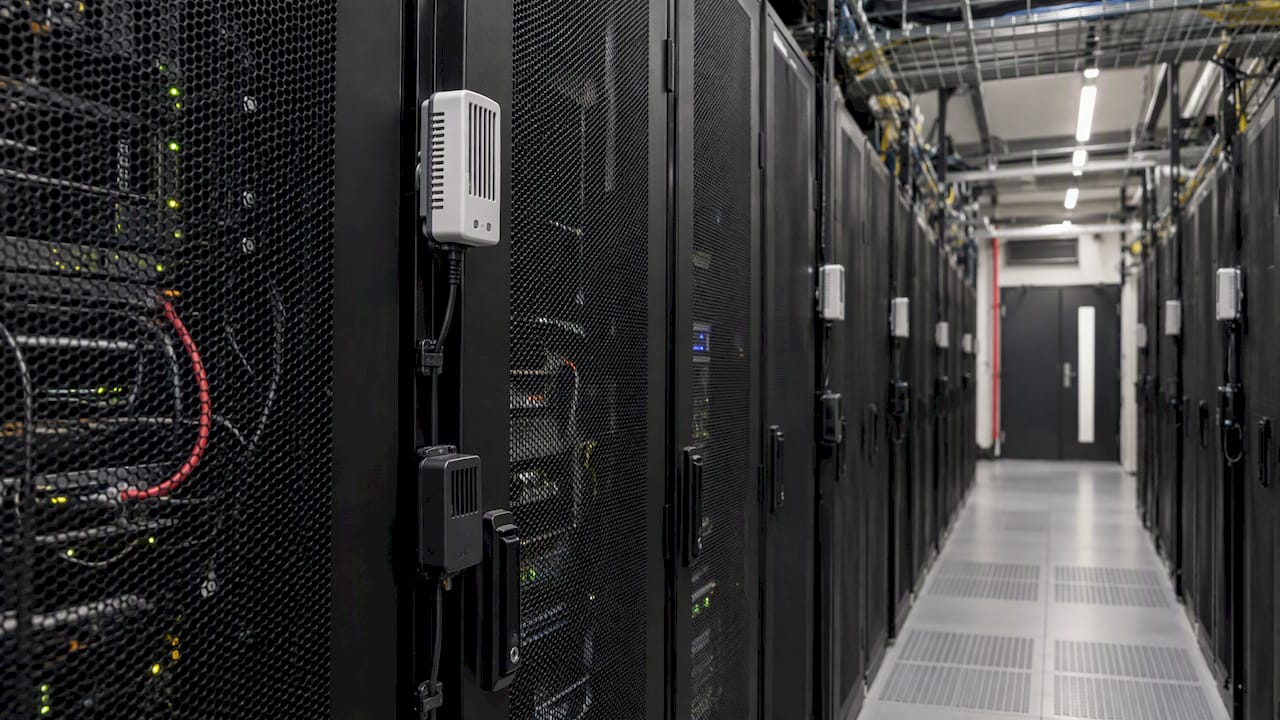
Datacenter monitoring architecture is the stack that interfaces with sensors on power, cooling, network and IT equipment, normalizes their outputs, stores them, and escalates them into alarms and decisions. Get each layer correct and an operator sees an impending pump failure or drifting PDU days before it causes an outage. Get one layer wrong and you're left with several contradictory dashboards. This guide covers each layer, the protocols that tie them together, and key design considerations at scale.
Bring your Data Center Monitoring Together with PODTECH
PODTech specializes in creating bespoke software solutions to help manage your data center, build telemetry, and integrate your critical pieces of infrastructure. Learn More
TL;DR
- There are four layers to a sound architecture: hardware and sensors, collection layers and protocols, storage and processing, and visualisation/alerting.
- Model both facility and IT systems together. Standalone tools create blind spots at the interface between power, cooling, network and compute.
- Design for failure of the monitoring system itself. Dual collectors, buffered edge persistence, and a separate path for critical alarms matter.
- Open standards protocols such as SNMP, Modbus, BACnet and Redfish help avoid vendor lock-in and extend legacy devices.
- Align commissioning with tier targets because the tiers dictate what the monitoring needs to prove.
Table of Contents
- What a datacenter needs to monitor
- The four layers of the architecture
- Where the architecture sits: IT, OT and the boundary
- Designing for resilience: monitoring the monitor
- Tier targets and what they demand from monitoring
- Commissioning: proving the monitoring works
- A practical build sequence
- Common mistakes
- Our perspective
- How PODTECH can help
- FAQ
- Sources
What a datacenter needs to monitor
First, identify your required watchers. Before selecting tools, decide what needs watching. Space, reliable power and cooling are basics, but a datacenter also requires physical security, servers, storage, networking, cables, racks, backup power supplies and monitoring and management systems. According to TechTarget's data center design guide, those management systems should monitor temperature, humidity, power, cooling, security, health, availability, capacity and configuration.
Peer-reviewed work in Intelligent Monitoring of Data Center Physical Infrastructure names the assets in scope: diesel generators, power supplies, UPSs, cooling and air-conditioning systems and technical safety. In practice, it helps to group them like this:
| Domain | Typical assets | Typical signals |
|---|---|---|
| Power chain | Utility feeds, switchgear, generators, UPS, PDUs, busways, branch circuits | Voltage, current, kW, kWh, power factor, breaker state, battery health, fuel level |
| Cooling and environment | CRAH/CRAC units, chillers, pumps, containment, rack inlets, leak detection | Temperature, humidity, differential pressure, flow, valve position, leak alarms |
| IT and network | Servers, switches, storage, BMCs | CPU and inlet temperature, fan speed, link state, throughput, hardware faults |
Safety and security spans across all three areas: fire detection, access control and, more recently, liquid detection around direct-to-chip cooling.
The four layers of the architecture
Our stack consists of hardware, observability software, an API and telemetry abstraction layer, and a visualisation and insights layer. You'll notice this same overall shape in the Apeiro data center observability blueprint , though we break it down into four working layers. This is because we see this arrangement crop up time and time again in every enterprise deployment we support.
Layer 1: hardware and sensors
Signals come from here. Smart PDUs, branch-circuit meters, UPS cards, generator controllers, chiller controllers, rack temp strings, leak ropes and door contacts all reside here. Layer integrity limits the layer above. A poorly mounted inlet sensor creates a sure but inaccurate thermal map.
Two practical rules:
- Measure at the point of decision. Rack inlet temperature tells you far more than room return air.
- When possible, choose metered equipment; retrofit when you can't. Panelboards and switchgear vary by the amount of metering and communication capabilities they allow. It helps to understand the difference between panelboards, load centers and switchgear before deciding where monitoring should be added.
Out-of-band telemetry at the server level is its own channel. Arm's architecture write-up describes on-chip sensor data gathered by a system control processor, routed to a manageability controller and exposed via a BMC using DMTF PLDM, MCTP and the Redfish TelemetryService. This allows hardware health data to be exposed without interacting with the host OS.
Layer 2: collection and protocols
Collectors send out requests for data or receive unsolicited data from devices and normalize it into a common model. This layer is where most projects die, since a real facility speaks hundreds of dialects.
Support for polling metrics and traps typically includes SNMP v2c/v3. The Apeiro blueprint includes it for PDUs, embedded monitors, breakers and sensors. Whenever possible, use v3 since it supports authentication and encryption.
- Modbus (RTU and TCP) for meters, UPSs, generators and many cooling controllers.
- BACnet for building and HVAC controllers. See our glossary definition of building management system for where it fits in the stack.
- Redfish and IPMI for server hardware health.
- Vendor APIs and MQTT for newer wireless sensors and cloud-connected equipment.
Four things a collector must do: talk the protocol, timestamp at the source, buffer locally when the uplink is down and tag each measurement with asset identity and location. If you skip that last one, a value is just digits.
Layer 3: storage and processing
Metrics should be stored in a time-series database. Arm's reference flow forwards bulk telemetry from the OTel Collector into a time-series database like VictoriaMetrics and onward to an observability back end like Grafana. The same pattern applies to facility data: collectors push normalised readings into TSDBs, and thresholds and rules are evaluated by a rules engine.
Decisions at this layer:
Retention and resolution matter. Store raw data for weeks. Store downsampled data for years. Capacity planning requires history. Fault diagnosis requires seconds.
- Asset model. Associate every metric with a site, room, row, rack and device. This is how you build the power alarm that answers the question, "which racks are affected?"
- Event handling. Deduplicate, correlate and suppress. One failed chiller shouldn't result in 400 alarms; it should raise one incident.
Layer 4: visualisation, alerting and integration
This is what operators actually see. Ideally, a robust front end displays floor plans, power from utility to rack, thermal awareness and routes alarms to the appropriate person or team. According to the 7x24 Exchange presentation on monitoring tools, DCIM monitoring and automation includes IT room, facility power, environmental control and security monitoring with configurable alarm thresholds on physical devices.
Outbound integration is equally important: ticketing, on-call paging, capacity planning, ERP asset records, building management system, and more. If your monitoring layer can't pass data downstream, it's just another silo.
Where the architecture sits: IT, OT and the boundary
The Open Compute Project's monitoring and logging white paper locates real-time monitoring, operations supervision and control of OT devices within an operations technology zone. The implication for design is simple: the systems that monitor your breakers and chillers should not live on a flat network with IT.
A workable pattern:
- Keep OT devices such as PLCs, meters and controllers on their own segment.
- Position collectors near the border of that region, limiting egress to one-way or heavily filtered paths.
- Send normalised data to the IT-side platform for storage and analytics.
- Separate control commands onto a different, audited path where control is permitted.
This restricts blast radius if the IT network is compromised, and prevents read-only monitoring from being used as an accidental control channel.
Designing for resilience: monitoring the monitor
Monitoring infrastructure is its own kind of crown jewel. When it goes down during an incident, you're blind when you can least afford it. These are the rules we follow when designing it:
- Redundant collectors per zone, with automatic failover.
- Local buffering so a WAN or uplink outage does not create a gap in the data stream.
- Self-power for collectors and network devices, ideally from the same protected feed as the loads being monitored.
- A heartbeat on everything. Silence should never be interpreted as health. Sensors that stop reporting should alarm.
- A second alarm path. Important alarms such as fire, leak or loss of utility need to reach people through a path other than the main dashboard.
- Tested thresholds. Alarm limits that nobody has ever triggered are guesses.
As important as tooling is for generators, what you monitor against standard is just as critical. Read our article on generator monitoring best practices that meet NFPA and NIST expectations, and on the electrical side, check out our article on power management system architecture, protocols and integration.
Tier targets and what they demand from monitoring
Many readers ask what Tier 1, 2, 3 and 4 mean. The Uptime Institute's tier system defines four levels of redundancy and availability. As CoreSite's summary of the tier classifications explains, Tier I has no redundancy for critical systems and a stated minimum of 99.671% uptime. At Tier I you can experience up to 28.8 hours of downtime a year. Each tier adds redundant components and distribution paths, with maximum annual downtime at the highest tier measured in minutes rather than hours.
The monitoring corollary is straightforward: if you build redundancy into your system, you must verify that it is actually there. A Tier III architecture with a silent failed redundant path is functionally a Tier I architecture. Your monitoring should make the state of all redundant paths visible, not just how much load the primary is carrying.
Commissioning: proving the monitoring works
Monitoring is not something you tack on after acceptance. Acceptance includes monitoring. ASHRAE has published five levels of commissioning and performance validation:
| Level | Focus |
|---|---|
| 1 | Factory acceptance testing |
| 2 | Delivery and installation verification |
| 3 | Pre-functional checks |
| 4 | Functional performance testing under operating conditions |
| 5 | Integrated systems testing, including real-world and failure scenarios |
Use these as telemetry milestones. At Level 3, verify every point is tagged and reading something. At Level 4, verify alarms go off at appropriate set points. At Level 5, simulate real failures such as loss of utility or a tripped pump and verify that operators see the appropriate cascade of events in the correct sequence. Commissioning is the lowest-cost time to discover that a breaker was mislabeled.
A practical build sequence
- List all assets. Capture all assets, all signals and all protocols. Mark what is missing.
- Create an asset model. Site, room, row, rack, device, and the power and cooling chains linking them together.
- Choose collection points. Place collectors per zone and decide the redundancy model.
- Select storage and rules. Define retention, resolution and correlation logic.
- Construct views by role. Operators want alarms and floorplans. Facility engineers want trends. Executives want availability and capacity summaries.
- Integrate outward. Connect ticketing, paging, BMS and capacity planning systems.
- Commission and tune. Test failure scenarios, then trim noisy alarms.
- Review quarterly. New equipment, new thresholds and new risks should feed back into the model.
Common mistakes
- Starting with the dashboard. Pretty screens on weak data erode trust fast.
- Ignoring legacy equipment. Many older chillers and generators have Modbus or contact outputs accessible by a gateway. Our legacy modernisation solution was designed with this in mind.
- Siloing IT and facility. A cooling fault becomes an IT incident in minutes.
- Alarm floods. If everything is critical, nothing is.
- No owner. Someone must own the point list and the thresholds.
Our perspective
We design monitoring for mission-critical applications where downtime is costly by contract and budget. The lessons repeat themselves in this space. The difference between failure and success is rarely bright and shiny. It's structured data, an accurate asset model and an alarm a person trusts at 3 a.m.
Three convictions shape how we design:
- Systems integration, not replacement. Many facilities have combined BMS, PMS and network management systems acquired over the years. Instead of tearing them out, we link them using a holistic systems integration strategy so each continues to do what it does best while giving operators a unified view. Learn how on our BMS and PMS integration page.
- Standard protocols first. Open protocols free you from lock-in and make change easier and cheaper later.
- Reliability is baked in from design. We have a 99.9% uptime SLA on our managed services, and we demand no less of client architectures: redundancy, buffering and heartbeats are implemented from day one.
We've completed over 250 projects, many in highly regulated, compliance-driven environments, and the trend is consistent throughout industries: model the signals, build the asset model, then visualise.
— Harry
How PODTECH can help
Designing your own monitoring architecture, or trying to sort out someone else's legacy installation? Our PODVIEW datacenter monitoring platform unifies telemetry, analytics and alarms into a single real-time workspace. Our DCIM consultancy service covers requirements, point lists and rollout for design and integration projects, while our datacenter services team specializes in connecting BMS, PMS and other data sources. See a worked example in our DCIM solutions case study.
Let's talk about your estate. Begin at podtech.com and tell us about what you operate today. Visit our datacenter glossary for quick definitions of terms used throughout this site.
FAQ
What are the main components of a datacenter monitoring architecture?
There are four layers: hardware and sensors, collectors that speak protocols like SNMP, Modbus and BACnet, a time-series store with rules engine, and visualisation with alerting and integrations. The thing that ties them all together is an asset model that relates every reading to a site, room and rack.
What is the difference between DCIM and datacenter monitoring?
Monitoring gathers readings and presents them, triggering alarms where necessary. DCIM does more: it monitors, measures and manages IT equipment, the power and cooling that supports it, and may actually control it, as explained in our 7x24 Exchange article. For our purposes here, monitoring is the base layer of DCIM. Our DCIM glossary entry covers this in more detail.
Should monitoring run on the same network as production IT?
No. OT devices like meters and controllers should reside on a separate segment along with collectors at the edge of that segment and very tightly filtered paths to the IT-side platform. This is similar to the OT zone segregation recommended in the Open Compute Project white paper, which also helps contain the impact should something be compromised.
How do tier levels affect monitoring?
Tier III introduces redundant components and paths, therefore monitoring should include the status of both standby components and those carrying the load. A redundant path that has gone silent has failed; you are left with the expense of Tier III and the risk profile of Tier I.
Sources
- How to Design and Build a Data Center, TechTarget
- Data Center Observability Blueprint, Apeiro
- Intelligent Monitoring of Data Center Physical Infrastructure, Applied Sciences
- Monitoring Tools for Data Center Operations, 7x24 Exchange
- OCP OTS Monitoring and Logging White Paper v2, Open Compute Project
- Out-of-band telemetry on Arm Neoverse servers, Arm Community
- Commissioning and Performance Validation, ASHRAE
- Breaking Down Data Center Tier Level Classifications, CoreSite
- Panelboards, Load Centers and Switchgear Compared, KKM Solutions