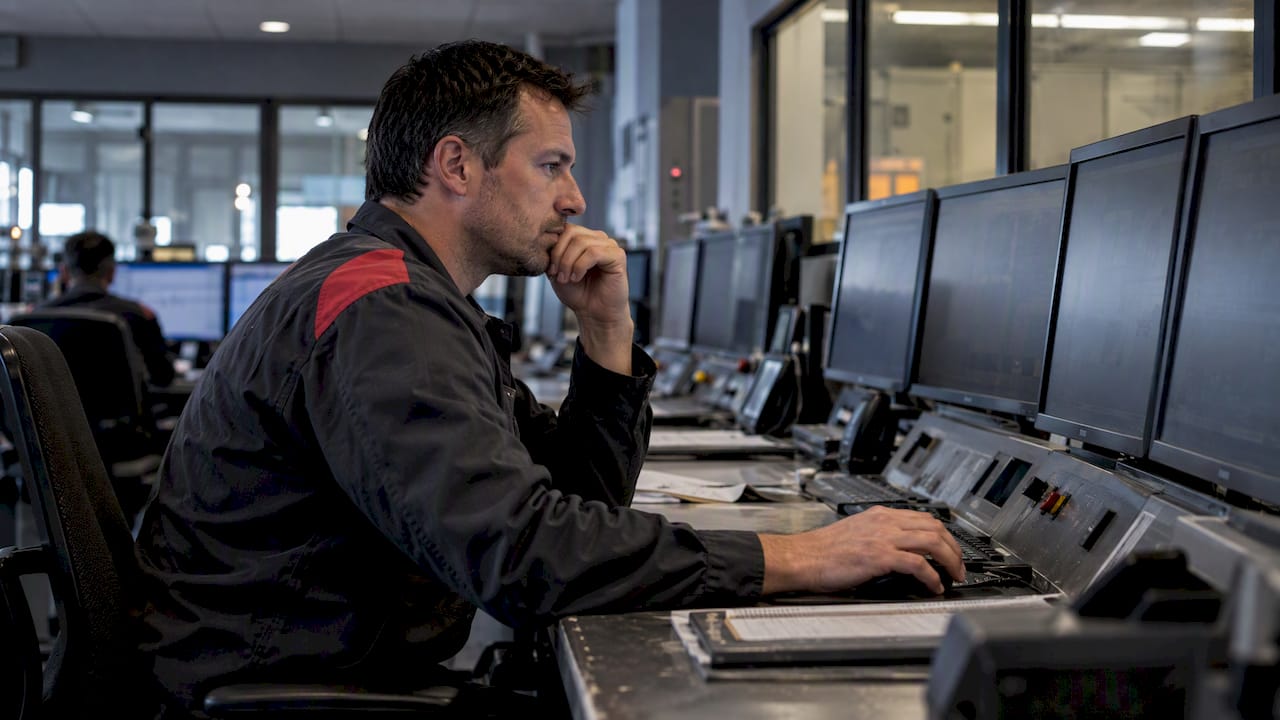
Industrial software UX should provide users with a task-centric, high-performance HMI design, rooted in the principles of the ISA-101 series of standards, that highlights abnormalities and simplifies routine tasks. When executed properly, this focus reduces detection and diagnosis times, minimizes operator error and allows your plant to run safer for longer. We leverage our experience with ISA-101 and custom integrations to share what this looks like in action.
TL;DR
- Task times can improve materially when HMIs are less cluttered and use standardized color semantics; reported gains commonly fall in the 30% to 50% range.
- Use a four-tier HMI structure from plant overview to troubleshooting detail, with each level reachable in one or two clicks and alarms showing cause, consequence and corrective action.
- Alarm update rates should be faster than routine process readings; a practical guideline is 0.5 second alarm updates and 1 to 5 second routine value refreshes.
- Acceptance testing and commissioning should reuse the same detection, diagnosis and correction timing exercises used with real shift operators during design validation.
- Machine learning alerts should be explainable and must not obscure the underlying process data operators need to review or reject recommendations.
Make Industrial Interfaces Understandable
PODTECH specializes in developing custom software solutions designed to support critical infrastructure. We build telemetry systems for buildings, implement intelligent monitoring, and modernize outdated technology.
Learn More About PODTECHTable of Contents
- Why industrial UX is different from consumer software
- Core HMI principles and patterns to apply now
- Standards and guidance to use on your project
- Design process and lifecycle: from philosophy to validation
- Implementation considerations: ergonomics, inputs, performance and security
- How an integration team turns these principles into deliverables
- Role of machine learning and AI in enhancing industrial UX
- Integration challenges of UX design with legacy industrial systems
- Customisation strategies for different industrial sectors and user roles
- Author perspective: priorities for teams upgrading industrial UX
- FAQ
- Sources
Why industrial UX is different from consumer software
Operators aren't surfing your control system like scrolling through their phone. They work in shift intervals where focus jumps from monitoring to emergency response in a matter of seconds. Operators can range from low to high experience on any given shift. A console your ten-year veteran can operate comfortably, may overwhelm your new hire in the one minute it matters.
Environmental factors make things worse. Gloves, glare on a factory floor, viewing distances of several metres and multi-screen walls all influence what constitutes a usable interface, none of which are issues for most consumer apps.
- Success is operationally defined: clicks saved and session length are less important than time-to-detect and time-to-diagnose.
- Screens should have a calm, orderly normal state so that when things go wrong, you know it.
- Clutter is not a cosmetic issue here. It's a safety hazard.
All of these realities force every design decision towards a single objective: enabling an operator to see what's important and respond to it rapidly.
Core HMI principles and patterns to apply now
Good HMI design is quiet when things are normal, and uses colour, motion and contrast to draw attention to conditions that need attention. ISA-101 best practices define four levels of display hierarchy. The top level is an overview of plant-wide status. The next level down is a process level showing unit operations. Below that are equipment control panels at the detail level. Diagnostic displays for troubleshooting form the lowest level. Each level answers a unique question posed by the operator. Navigation between levels should require one or two actions, never a search.
A practical build order looks like this:
- Establish calm normal state first: subdued backgrounds, gray or white process graphics, and no decorative 3D piping.
- Use bright colour only for alarms and abnormal values. Keep the same colour palette on every screen.
- Present alarms with context: instead of a flashing light, show cause, likely consequence and recommended action on the tag.
- Standardize iconography and faceplates so training on one unit transfers to others.
- Design navigation around triage: no more than two clicks should be needed to go from an alarm to its diagnostic screen, and every step should be undoable.
Returns are quantifiable. Users who implement high-performance HMI design principles have seen operator task completion times reduced by 30-50% in successful applications, much of this improvement gained by decluttering and standardizing colour semantics. Define set refresh and alarm latency goals upfront, then measure time-to-detect and time-to-diagnose before and after a redesign to validate improvement, not just presume it.
Standards and guidance to use on your project
Three standards cover most of the workhorse functionality for industrial HMI and each outputs a different artefact.
EN IEC 63.303:20.24 defines architectures, roles and lifecycle requirements for HMIs, including recommended guidelines for display performance and interaction techniques. It moves teams away from designing one-off screens and towards a governed, scalable library.
- ISA-18.2 deals with alarm management, which must be married up to HMI presentation because alarm flooding due to lack of rationalisation can negate any visual improvement by swamping the operator.
NIST SP 18xx series documents:
- NIST SP 18xx-2 Identification of IoT Devices: Device Identity and Authentication for IoT Devices Supporting Critical Infrastructure Controls.
- NIST SP 1800-10 provides example solutions for ICS integrity protection that have been tested, including application allowlisting, file integrity checking and change control, informing how security state should be presented to users in UI rather than operating invisibly in the background.
Something as basic as a one pager checklist, having your philosophy written down, style guide signed off, toolkit created, alarm rationalisation done, mapping ICS integrity controls to UI components, gives the design review something objective to evaluate rather than a subjective discussion about colours.
Design process and lifecycle: from philosophy to validation
Repeatable good HMI design requires a lifecycle approach, not individual discretion.
- Author the HMI philosophy document first: define non-negotiable rules for colour, typography and alarm presentation before building the first screen.
- Create a reusable library of faceplates, symbols and templates so every future screen shares the same visual language.
- Perform task analysis with actual operators to determine what information belongs at Level 1 through Level 4 rather than assuming from the P&ID alone.
- Verify designs by scenario-driven testing, timing representative operators for detection, diagnosis and correction against established goals.
- Execute formal acceptance tests including FAT, SAT and SIT, and record the same performance metrics used during design validation so pass/fail criteria are objective.
- Maintain post-commission monitoring and version control logic with embedded rules to prevent future modifications from silently undermining intent.
Hint: Run your scenario based validation with the shift operators that are going to run the system, not engineers that know where everything is.
Implementation considerations: ergonomics, inputs, performance and security
Deployment factors determine if a well-designed HMI translates into field performance. A reasonable baseline is 19.20×10.80 resolution with viewing distances and refresh rates defined in field service manuals, commonly one-to-five seconds for process values and one-half second for alarms. Adjust viewing distance based on glove wear, ambient light and screen location.
- Touch targets should be enlarged to account for glove use. Physical buttons will always be superior to touch interfaces for functions that are important and used frequently.
- Voice and gaze input still have caveats in loud or blinding environments.
Alarm update rates should always be quicker than normal value updates because alarm delay has safety implications that a slow updating trend does not.
- Protection and authentication: in consideration with NIST SP 1800-10's integrity controls, trust status should be revealed to users, but should not add additional log-in hurdles to normal operator workflows.
Maintainability requires an explicit toolchain with rollback capability so a field update can be undone quickly if it has unexpected behavior.
Software outside the realm of process control operating in a field-facing capacity encounter these ergonomic challenges as well. Software applications built for use by civil contractors in the field experience similar constraints as well as glove-enabled input, sunlight glare, and on-and-off connectivity. Lessons learned regarding large touch targets and limiting typing also carry over directly to applications on the plant floor.
Tip: Consider update latency a safety requirement to be specified and tested, not an optimization to be tuned post-launch.
How an integration team turns these principles into deliverables
For example, on system integration projects our HMI philosophy, style guide and toolkit are scoped in as part of contracted deliverables from the outset. They're not an afterthought tacked on at the end of a control system build. We work UX specialists into our legacy modernisation and automation builds too, depending on how a client wants to work. So our philosophy doesn’t just hit the ground running. It survives contact with existing operations. Our 99.9% uptime SLA, stated as our own service level commitment, goes hand-in-hand with operator acceptance metrics we collect during scenario testing and after deployment. Handover usually consists of the style guide itself, a library of toolkit we built ready for future reuse, documented test scenarios, and a monitoring dashboard your own team can take forward. Watch this integration-level thinking applied across our case studies on legacy modernisation.
Role of machine learning and AI in enhancing industrial UX
Machine learning has its biggest impact on industrial UX when it lightens the operator load instead of presenting another screen to stare at. Predictive models that can identify a fault developing before it exceeds an alarm threshold can allow an interface to raise a discrete early warning instead of triggering a wall of alarms, contributing to the calm normal state that effective high-performance HMI design relies on. Historical process-based anomaly detection can also assist in determining which alarm in a shower of simultanous alarms deserves priority attention, tying directly into the cause-and-consequence display effective alarm integration needs.
Studies into effective human-automation partnership emphasize that operators should know how to question automated decision support. If an AI-derived recommendation is surfaced through an HMI, it should make its rationale transparent, perhaps by surfacing the most important variables that went into a prediction so that an operator can make an informed decision as to whether they should accept it or override it. HMIs that represent machine learning output as an opaque judgement impair the operator's ability to safely intervene in ambiguous situations, which goes against the philosophy of collaborative human-automation.
Where we incorporate machine learning into monitoring platforms we treat the model’s output as just another input to the display hierarchy rather than trying to replace it. Predictions show up at the level where they can be used to triage, with the underlying data still available for an operator who wants to investigate further. Our machine learning development work follows this same philosophy, it keeps the operator in the loop instead of designing them out of it.
Integration challenges of UX design with legacy industrial systems
Most legacy control systems were not designed with a clean data layer or modern display layer available for building onto. This makes applying ISA-101 guidelines more challenging than building a greenfield HMI solution from scratch. Hardware limitations, proprietary protocols, undocumented tag naming and ageing hardware all limit what can be displayed on a new interface and how quickly it can refresh, meaning workarounds are often made around legacy technical debt instead of eliminating it. Force fitting a four-tier display hierarchy into a system made 20+ years ago when that hierarchy did not exist requires reverse engineering what every screen currently displays was trying to accomplish before you can redesign it.
Change control complicates matters further. Older systems have undocumented logic built into them, so drastic changes to UX must be versioned and rolled out gradually to prevent disrupting undocumented dependencies. EN IEC 63303:2024’s life-cycle approach mitigates these risks by urging teams to formally document as-is state before implementing controlled, maintainable changes, instead of individually patching screens then forgetting what was changed.
Security further increases the technical debt. Many legacy systems were developed at a time when securing ICS was not part of the design process. Implementing the integrity controls outlined in NIST SP 18 00-10, application allowlisting, file integrity monitoring, change control often requires bolting authentication and monitoring onto infrastructure never designed to account for it, all while maintaining usability to the degree that operators do not work around the new security controls due to frustration.
We take this approach via incremental legacy modernisation, maintaining operator familiarity through the transition period by taking a screen-by-screen migration against the philosophy doc, rather than swapping out a full control room interface in one fell swoop. Our BMS and PMS integration experience in datacentre environments takes the same staged approach, as those systems are often subject to very similar legacy challenges.
Customisation strategies for different industrial sectors and user roles
Uniformity of HMI philosophy does not require every screen to look the same. Discrete manufacturing, process manufacturing and critical infrastructure all have unique failure modes, alarm profiles and regulatory requirements. Thus while the toolkit developed under ISA-101 should have consistent UX principals across industries, it should allow for variance by sector. Batch chemical processing will have different Level 2 displays than a discrete assembly line, even if both utilize the same colour palatte and faceplate standards from the style guide.
Role-based customisation is just as important as sector differences. The control room operator needs access to all four levels of information hierarchy: from plant overview all the way down to diagnostic detail. The maintenance technician using a tablet device on the plant floor needs far more specialised, job-specific information built around the piece of equipment they are working on. Trying to design one-size-fits-all screens for every role typically results in them not suiting anyone very well. An alarm screen cluttered with maintenance detail will defeat the calming, reassuring normal state that your HMI design should strive for.
The pragmatic approach is to standardize the toolkit and customize the display configuration: same color semantics, same alarm presentation logic, same navigation schema, but different information density and different L1 through L4 content depending on who is looking and what sector they are looking at. This is where having staff augmentation resources or a stand-alone team excels at on multi-site implementations, as the same underlying philosophy can be leveraged for a datacenter operator, a construction safety manager and a manufacturing floor supervisor without inadvertently creating three totally different design languages. We've applied this tactic to our enterprise automation projects by standardizing across sectors one governed toolkit but customizing the views needed for each role.
FAQ
What is ISA-101 and why does it matter for industrial software?
ISA-101 is the industry standard for HMI lifecycle and high-performance HMI design. It defines an HMI philosophy, style guide, toolkit and introduces a four level display hierarchy. Adopting ISA-101 provides teams with a governed, repeatable method for building screens that enable rapid operator detection and diagnosis rather than creating screens with ad-hoc graphics.
What is EN IEC 63303 and how does it differ from ISA-101?
EN IEC 63.303:2024 specifies architectures, patterns and life-cycle considerations for HMIs used in process automation, including recommended practices around display performance and interaction. It serves as a companion specification to ISA-101, supplementing with additional life-cycle perspective to guide teams past single screen design considerations toward governed, scalable libraries of HMIs over time.
How do operator performance metrics improve industrial UX?
Time-to-detect, time-to-diagnose and time-to-correct metrics provide design teams with objective, scenario-validated metrics for determining if an HMI redesign will actually enable operators to react more quickly. Field practitioner data indicates that well-designed, high-performance HMIs have been shown to improve task completion times by 30 to 50%, making these metrics significantly more valuable than subjective measures like visual preference.
What does NIST SP 1800-10 recommend for industrial control system security?
Example solutions, that have been tested against NIST SP 1800-10 guidance requirements for ICS integrity protection are provided such as application allowlisting, file integrity checking and change control. Such capabilities help determine how authentication and security status should be presented to users through the HMI without interfering with normal operator functions.
How can PODTECH support an industrial HMI redesign?
We provide HMI philosophy, style guide and toolkit outputs as contracted deliverables as part of our systems integration and legacy modernisation projects. This can include incorporating UX experts either through dedicated teams or staff augmentation. We will engage on scenario-based validation and post implementation monitoring to ensure operator performance is measured rather than presumed.