
TL;DR:
- Mission critical software must operate continuously with no acceptable unplanned downtime.
- Reliable systems use fault tolerance, redundancy, automatic failover, and real-time monitoring.
- Off-the-shelf solutions often lack necessary sector-specific safety, compliance, and failover features.
Many assume that any robust enterprise platform will hold up when it truly matters. That assumption is wrong, and the consequences can be severe. Mission critical software failure directly impacts operations, safety, or revenue in ways that standard business tools simply cannot withstand. A hospital system going dark mid-surgery, an air traffic control platform freezing, a trading engine stalling during peak volume: these are not edge cases. They are the exact scenarios mission critical software is engineered to prevent. This guide covers the core definition, engineering principles, category comparisons, real-world applications, and what IT leaders must demand from any software serving high-stakes infrastructure.
Table of Contents
- Understanding mission critical software
- Key features and engineering principles
- Mission critical vs business critical vs safety critical systems
- High-stakes applications and case studies
- Why custom solutions win for mission critical needs
- How to secure mission critical reliability with custom software
- Frequently asked questions
Key Takeaways
| Point | Details |
|---|---|
| Definition clarified | Mission critical software underpins operations where failure is not an option, affecting safety or revenue directly. |
| Engineering essentials | Reliability demands redundancy, fault tolerance, and real-time monitoring to achieve extreme uptime targets. |
| Critical system types | Mission, business, and safety critical software must not be confused—a clear distinction impacts risk strategy and compliance. |
| Customisation matters | Off-the-shelf solutions rarely meet true mission critical needs; custom engineering ensures integration, resilience, and compliance. |
Understanding mission critical software
Not all enterprise software carries the same weight. Most platforms support productivity, reporting, or collaboration. Lose access to them for an hour and the business slows down. Lose access to mission critical software for sixty seconds and operations stop, lives may be at risk, or millions in revenue evaporate.
A clean working definition: mission critical software is any system whose failure immediately halts core operations, endangers safety, or causes direct financial harm. The word “immediately” is important. There is no grace period, no manual workaround that holds, no acceptable degraded state.
“Mission critical software must operate continuously and reliably, with no tolerance for unplanned downtime in the environments it serves.”
The sectors where this definition applies most sharply include:
- Healthcare: Patient monitoring systems, surgical robotics, electronic health records in intensive care units
- Transport and aviation: Air traffic management, railway signalling, autonomous vehicle control
- Finance: High-frequency trading engines, interbank settlement platforms, real-time fraud detection
- Utilities and energy: Grid management systems, pipeline monitoring, nuclear plant controls
It is worth distinguishing this from two related but different categories. Business critical software affects financial performance when it fails but does not stop operations outright. Safety critical software, by contrast, has failure modes that can directly harm people or the environment. Mission critical software often overlaps with both, but the defining characteristic is operational continuity. Understanding this distinction matters because it shapes design decisions, compliance obligations, and procurement criteria.
For IT leaders managing industry insights across complex infrastructure, recognising where a given system sits on this spectrum is the first step towards appropriate investment and risk management. Treating a mission-critical application like a standard SaaS tool is one of the most costly mistakes an infrastructure manager can make.
Key features and engineering principles
Once you understand what mission critical software is, the next question is: what makes it work when everything else fails? The answer lies in a set of engineering principles that go well beyond standard software development practice.
The core features that define a genuinely resilient system include:
- Fault tolerance: The system continues functioning even when individual components fail
- Redundancy: Duplicate components or pathways ensure no single point of failure exists
- Automatic failover: Traffic or workloads shift to backup systems without human intervention
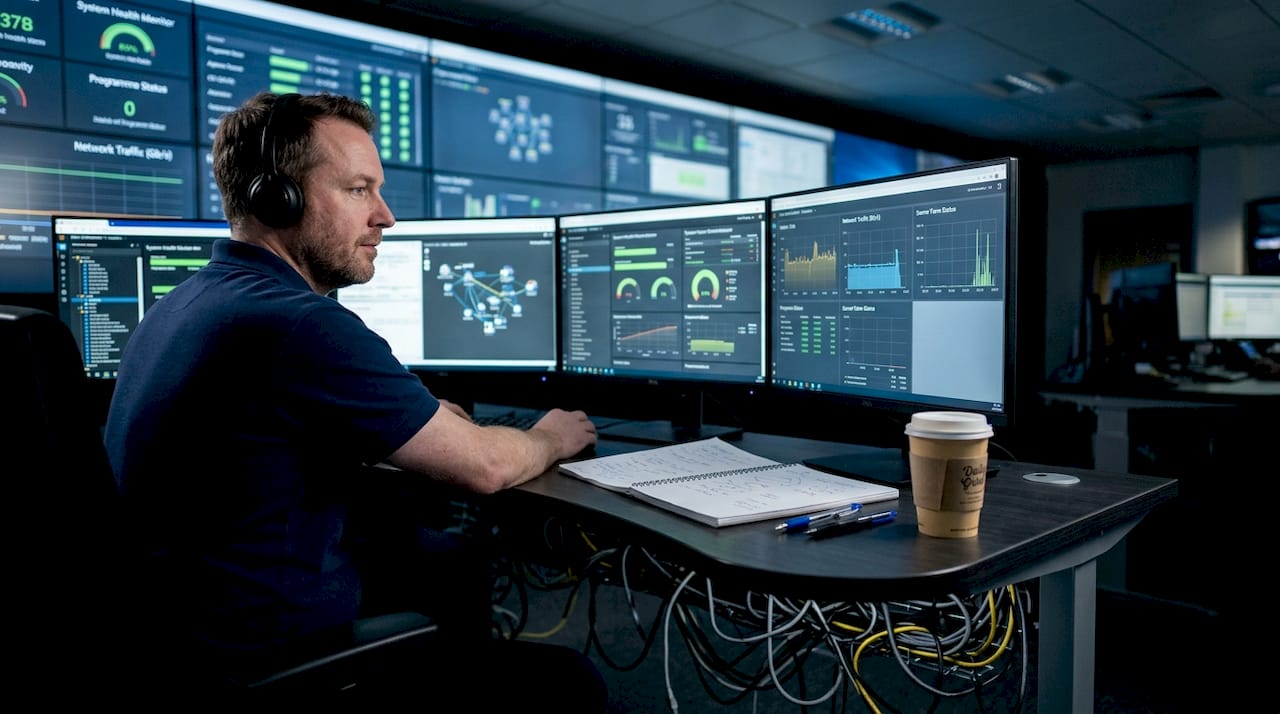
- Real-time monitoring: Continuous observability across all layers, not periodic health checks
- High availability architecture: Systems are designed to meet 99.99%+ uptime targets with fault-tolerant design
In practice, real-world systems achieve uptime targets between 99.9% and 99.999%, depending on sector requirements and engineering investment. The difference between 99.9% and 99.999% may sound trivial, but it translates to roughly 8.7 hours versus 5.3 minutes of allowable downtime per year.
Two engineering approaches deserve particular attention. N+1 redundancy means that for every critical component, at least one additional unit is available to take over instantly. Chaos engineering, popularised by Netflix but now adopted in enterprise infrastructure, involves deliberately introducing failures into a live or staging environment to verify that failover and recovery mechanisms actually work under pressure.
Continuous monitoring and observability are not optional extras. Without them, a degraded state can persist undetected until it becomes a full outage. Platforms like Azure mission-critical design demonstrate how layered observability, distributed tracing, and automated alerting are built into the architecture from day one, not bolted on afterwards.
For teams building or procuring enterprise automation software, these principles are non-negotiable baseline requirements, not premium add-ons.
Pro Tip: Do not wait for a real incident to test your failover. Schedule quarterly chaos engineering exercises where your team deliberately disables components and measures actual recovery time against your SLA targets.
Mission critical vs business critical vs safety critical systems
The terminology around critical systems is frequently misused, and that confusion leads to dangerous underinvestment. Here is a clear comparison to help your team classify systems correctly.
| Category | Failure impact | Sector examples | Typical uptime target |
|---|---|---|---|
| Mission critical | Operations halt immediately | Air traffic control, emergency dispatch, trading platforms | 99.99% to 99.999% |
| Business critical | Financial loss, slowdown | CRM, ERP, billing systems | 99.9% |
| Safety critical | Risk to life or environment | Medical devices, nuclear controls, railway signals | Formally certified |
As handwiki notes on critical systems, mission critical impacts operation and safety, business critical affects finances, and safety critical can harm life or the environment. These are not interchangeable labels.
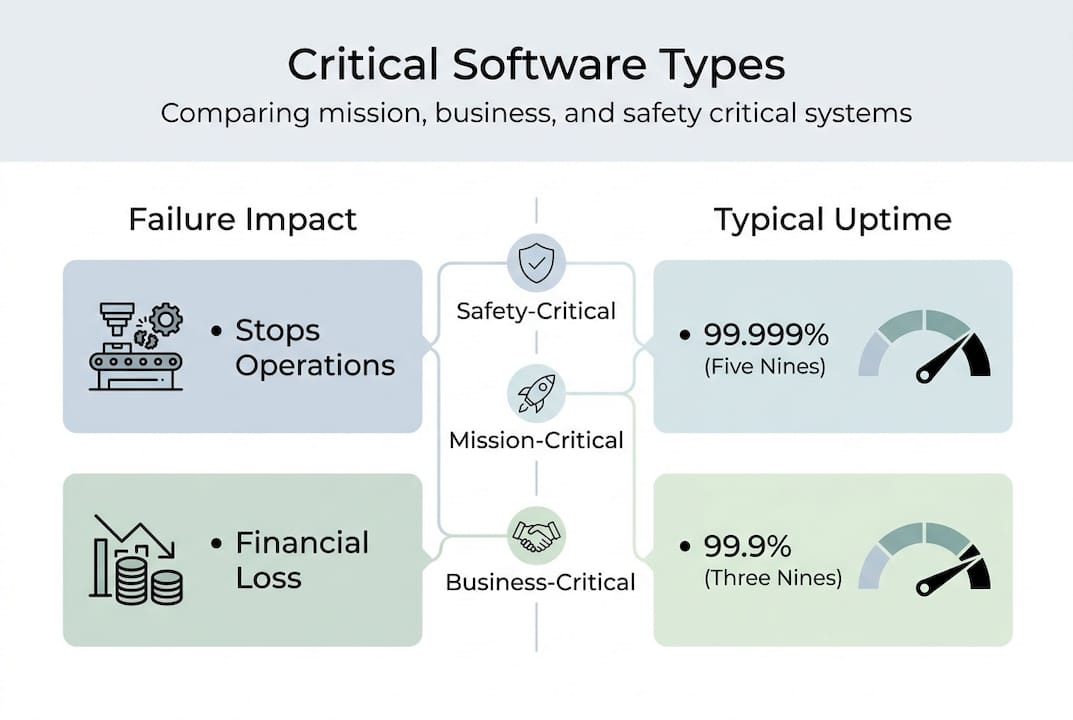
Consider the airline sector. A passenger check-in system is business critical: if it fails, flights are delayed and revenue is lost, but no one is harmed. The flight management computer is mission critical: if it fails mid-flight, the aircraft cannot be operated safely. The collision avoidance system is safety critical: its failure mode is a direct risk to life, and it must meet formal certification standards such as DO-178C.
When classifying your own systems, consider these decision factors:
- Does failure immediately stop core operations, or merely slow them?
- Is there a manual fallback that can sustain operations for hours or days?
- Does failure create a direct risk to human safety or environmental integrity?
- What are the regulatory and compliance obligations tied to this system?
- What is the financial exposure per minute of downtime?
For teams working on high-stakes infrastructure, reviewing a relevant AI safety case study can sharpen your understanding of how these classifications translate into design decisions. Exploring custom software services built specifically for critical sectors also reveals how classification shapes the entire engineering approach from the outset.
High-stakes applications and case studies
Theory only takes you so far. The real test of mission critical software is how it performs in sectors where failure is not an option.
Sectors with the most demanding requirements include emergency dispatch, healthcare, finance, aviation, and pipelines, each with distinct uptime expectations and failure consequences. The following table illustrates observed benchmarks across these environments.
| Sector | Uptime benchmark | Consequence of failure |
|---|---|---|
| Hospital systems | 99.9% | Patient monitoring gaps, delayed treatment |
| Pipeline monitoring | 99.5% | Environmental risk, regulatory breach |
| Cloud contact centres | 99.999% | Revenue loss, SLA penalties |
| Aviation systems | 99.99%+ | Safety risk, regulatory grounding |
Hospital uptime targets of 99.9%, pipeline systems at 99.5%, and platforms like Genesys achieving 99.999% illustrate just how varied the requirements are, and how precisely they must be engineered.
When evaluating vendors or planning a build, IT leaders should work through these steps:
- Define the maximum tolerable downtime for each system in minutes per year
- Map existing infrastructure dependencies and single points of failure
- Assess whether current monitoring provides real-time alerting or only periodic checks
- Review vendor SLA documentation against your defined downtime tolerance
- Validate failover behaviour through testing, not vendor assurances alone
The lesson across these sectors is consistent: reliability is never accidental. It is designed, measured, tested, and continuously improved. Organisations that treat uptime as a procurement checkbox rather than an engineering discipline usually discover the difference during their first serious incident.
Why custom solutions win for mission critical needs
Off-the-shelf software can be perfectly adequate for standard business workflows. Mission critical environments are different. They depend on unusual hardware, legacy integrations, strict compliance controls, deterministic behaviour, and operational models that generic platforms rarely support well.
The biggest weakness of packaged software in this context is not that it lacks features. It is that the wrong features are often prioritised. Vendors optimise for broad market appeal, fast onboarding, and standardised deployment. Mission critical teams need exact fit, predictable performance, and resilience under abnormal conditions.
Custom solutions tend to outperform because they can be engineered around the realities of the environment:
- Integration depth: Built to connect with your actual infrastructure, protocols, and data flows
- Operational fit: Designed around the workflows your teams already rely on in high-pressure scenarios
- Compliance alignment: Structured to meet sector-specific audit, logging, and control requirements
- Resilience by design: Failover, redundancy, and observability are embedded from the start
- Performance tuning: Optimised for the exact latency, throughput, and recovery expectations of the system
This is especially important in sectors where software must interact with physical systems. A generic platform may claim support for industrial devices, medical workflows, or transport operations, but support on paper is not the same as dependable behaviour in production. Custom engineering closes that gap.
For organisations operating in regulated or high-risk environments, custom software also improves governance. You gain clearer control over architecture decisions, testing strategy, deployment cadence, and long-term maintainability. That level of control is often impossible when core reliability mechanisms are hidden inside a vendor roadmap.
In short, mission critical software is rarely a place to compromise for convenience. The closer a system sits to operational continuity, the stronger the case for a tailored solution that reflects the real-world stakes.
How to secure mission critical reliability with custom software
Achieving mission critical reliability is not a single project milestone. It is a disciplined process that spans architecture, testing, operations, and governance. Custom software gives organisations the flexibility to build that discipline into the system from the ground up.
IT leaders should insist on a delivery approach that includes the following elements:
- Risk-based system classification: Identify which components are mission critical, business critical, or safety critical before architecture begins
- Redundancy planning: Remove single points of failure across compute, storage, networking, and application services
- Observability design: Implement metrics, logs, tracing, and alerting as core system capabilities
- Failure testing: Run failover drills, load tests, and chaos scenarios before and after go-live
- Recovery objectives: Define and validate RTO and RPO targets against real business impact
- Operational readiness: Ensure runbooks, escalation paths, and on-call procedures are documented and rehearsed
Procurement teams should also ask harder questions. What happens when a dependency fails? How is data consistency preserved during failover? Can the vendor demonstrate recovery under realistic load? Are audit trails complete enough for regulators and post-incident review? If those answers are vague, the solution is not ready for mission critical use.
The strongest programmes combine software engineering with operational maturity. That means architecture reviews, incident simulations, postmortems, and continuous improvement loops are treated as part of the product, not side activities. Reliability is sustained by process as much as by code.
Teams that need this level of assurance typically benefit from working with specialists in custom software services and critical infrastructure delivery. The goal is not simply to launch software. It is to create a system that remains dependable when conditions are worst, not best.
Frequently asked questions
What is mission critical software in simple terms?
Mission critical software is software that must keep working because its failure immediately stops operations, threatens safety, or causes direct financial damage. There is little or no acceptable downtime.
How is mission critical different from business critical?
Business critical software affects revenue and productivity when it fails, but operations can often continue in a limited way. Mission critical software has a more immediate impact: when it goes down, core operations stop.
Is mission critical software always safety critical?
No. Some mission critical systems are also safety critical, but not all of them. A trading engine may be mission critical because downtime causes major financial loss, while a medical device may be safety critical because failure can directly harm people.
What uptime should mission critical software target?
It depends on the sector, but mission critical systems commonly target 99.99% to 99.999% uptime. The right target should be based on the real operational and financial cost of downtime.
Why are custom solutions often better for mission critical environments?
Because they can be designed around exact infrastructure, compliance requirements, failover needs, and operational workflows. Generic platforms often fall short where reliability and integration precision matter most.
Mission critical software is not defined by branding, scale, or feature count. It is defined by what happens when it fails. If the answer is operational paralysis, safety exposure, or immediate revenue damage, then reliability must be engineered as a first principle. That is where custom architecture, rigorous testing, and sector-specific design make the difference.