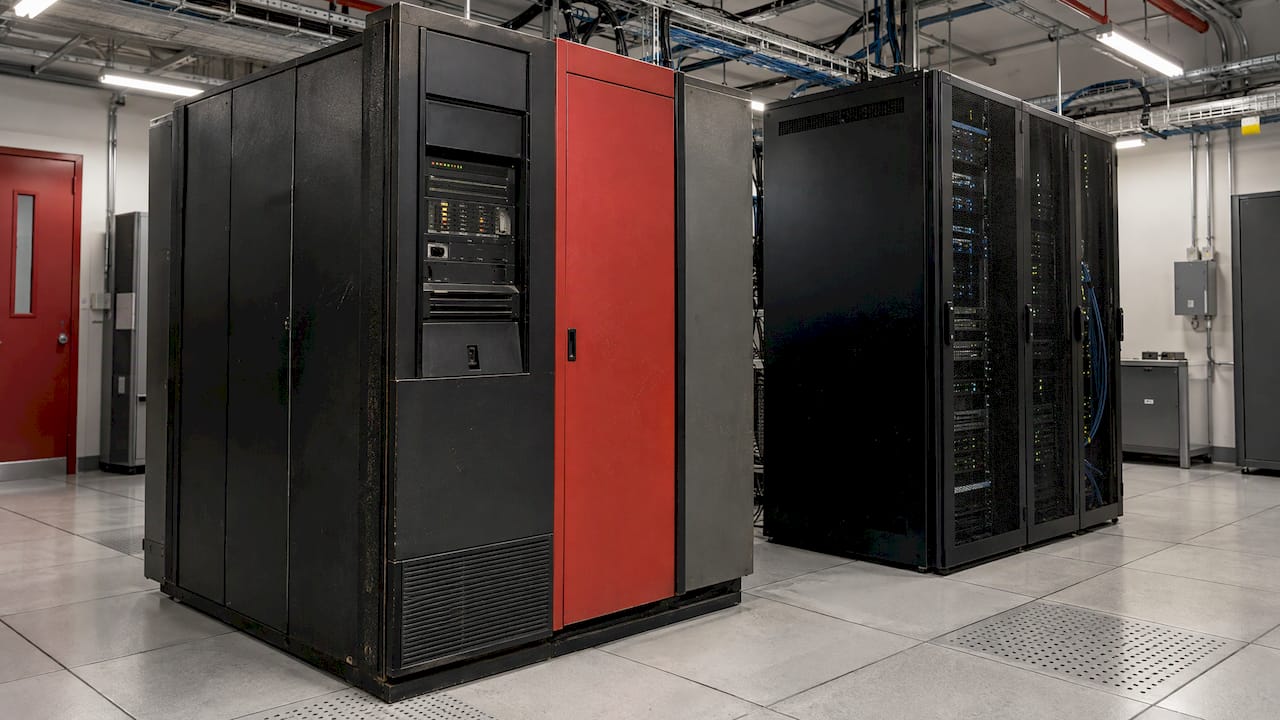
Legacy data migration is the orderly movement of data out of an obsolete system and into a new one, where the data emerges validated, reconciled and ready to use. When executed properly, it is its own project, with four stages: planning, analysis/design, implementation and closeout. A legacy data migration rests on four pillars: a cleansed, mapped dataset; extensive rehearsals; a cutover plan with rollback point; and good old-fashioned attention to detail.
Here, we cover each step of the process. We'll also cover the unique challenges that prompted your visit: migrating from COBOL to Java, migrating Oracle Forms, and migrating legacy SCADA.
Upgrade Legacy Systems Effortlessly with PODTECH
PODTECH creates custom software solutions that simplify the process of legacy modernization, allowing teams to shift toward scalable solutions for critical systems. Learn More
TL;DR
- Plan migration as a separate project against a target data store.
- Profile source data first. Good data quality rules defined pre-mapping are critical for successful migration.
- Practice repeatedly. Do a pilot run, then a full migration well before go-live, then weekly delta imports.
- Maintain parallel runs of the old system as system of record until the new system is reconciled and has passed business tests.
- Write the cutover plan down including freeze point, in-flight transactions, reconciliation period and rollback decision points.
Table of Contents
- What legacy data migration is, and what it is not
- Step 1: Plan it as a project of its own
- Step 2: Assess and profile the source
- Step 3: Clean, define and map
- Step 4: Rehearse, then migrate
- Step 5: Validate before you trust
- Step 6: Cut over without betting the business
- Special cases readers ask about
- Common risks and how to reduce them
- Perspective
- How PODTECH supports a legacy data migration
- FAQ
- Sources
What legacy data migration is, and what it is not
Data migration is the process of moving data from one system or storage environment to another. AWS explains the goal as transferring data as quickly and efficiently as possible, without negatively impacting business activity. Planning involves consideration for network resources, data security, and time as well as methods of transfer.
Add to that the word “legacy”. The source system is likely ancient, undocumented and still performing something critical to the business. The schema might have evolved by adding new pieces for years. The original designers may be long gone.
It helps to separate three related terms:
| Term | What changes | What happens to the data |
|---|---|---|
| Data migration | The storage or platform holding the data | Extracted, transformed, loaded and validated |
| Legacy system migration | The whole platform, replaced or replatformed | Moved in phases, often with a parallel run |
| Legacy modernisation | The existing system is improved in place | Mostly stays; APIs, refactoring and cloud extensions are added |
We've borrowed that split from Indeavor, who explain that modernisation refers to enhancing existing systems to reduce risk and lengthen lifespan, whereas migration entails moving off of an old platform and replacing vital functionality. Many enterprise projects will include both to some degree.
You might containerise one system with an API, migrate another system and sunset a third. Our legacy modernisation services reflect that.
Step 1: Plan it as a project of its own
According to the US Department of Education's Data Migration Roadmap Guidance, data migration should occur as a project dedicated to creating a new target data store. There are four phases:
- Planning. Understand what you're working with. Define the project. What are the requirements? What's the current environment look like? How do you build your migration plan and define roles?
- Analysis and design. Profile the source, design the target and write the mapping.
- Implementation. Build the extract, transform and load jobs, then run and test them.
- Closeout. Confirm acceptance, archive and decommission.
Two practical additions from our side.
Assign an owner to each data domain. Customer, asset, financial and sensor data all require someone who can define what “right” looks like. Without that person, any dispute over a mapping devolves into a committee meeting.
Run a feasibility prototype. SAS recommends a prototype migration of sample data, because it quickly reveals the costs and complexity of moving data from source to target. Sampling just a few tables will uncover character-set issues, orphaned records and undocumented codes in days instead of months.
Step 2: Assess and profile the source
Before you design anything, know what you really have. Document, for each source system:
- Tables, files and message queues in scope, with row counts and growth rates
- Data owners and downstream systems that read each dataset
- Duplicates, nulls, orphaned keys and invalid values that break the documented format
- Data you no longer need, which can be archived instead of migrated
- Regulatory retention duties that decide what you may delete
Two things teams spend too much time on. The last two actually matter more than teams realize. Any record you don't migrate, you don't have to map, test or reconcile. Archive, archive, archive... but only against a retention rule that someone has signed.
Profiling also informs you about the job's scope. A tidy relational source with stable keys is not the same project as a mainframe full of packed-decimal fields or a SCADA historian full of years of time-series data.
Step 3: Clean, define and map
RSM writes, “Data quality rules provide the blueprint for successful migration.” They go on to say that your scripts to normalise your legacy data can actually drive the quality rules in your future-state system, and that the normalised data you produce should still adhere to agreed definitions when you do technical mapping. In other words, your cleansing work is not wasted. (Data governance during migration sets companies up for long-term success)
A workable mapping document has one row per target field:
| Target field | Source field(s) | Transformation rule | Owner | Test |
|---|---|---|---|---|
| Asset ID | EQ_NO + SITE_CD | Concatenate, uppercase, strip spaces | Facilities | Unique, no nulls |
| Install date | INST_DT | Convert from text to date; reject impossible dates | Operations | Row-level sample |
| Status | STAT (1 to 7) | Lookup table to named states | Operations | Count by state matches |
Put the mapping under version control. Each change to a transformation rule should be attributable to a decision and a person.
Three things routinely break mappings:
- Free-text fields used as codes. Someone decided to type “N/A”, “n/a” and “none” to mean the same thing over a fifteen year period.
- Application business logic embedded outside the schema. The application says one thing, the database something else. Either move that calculated value or recreate that logic when you migrate, but make a conscious decision.
- Time handling. Time zones, daylight savings transitions, and two-digit years are perennial sources of silent corruption, especially in telemetry.
Step 4: Rehearse, then migrate
Full migrations can take awhile. Don't wait until the week of go-live to do your first full run. Microsoft's cutover planning guidance recommends doing a full migration approximately one month prior to go-live and then running weekly delta loads. This allows you to have a measured window for your delta migration, allows business users to compare source and target, and helps ensure cutover is predictable.
Datafold has a migration checklist that lays out this same rhythm: perform a pilot, execute a full-scale migration with real-time monitoring, then validate parity between source and target. Validation includes business logic, query performance, application functionality and even a security audit.
A sensible rehearsal schedule looks like this:
- Pilot on a representative slice. Fix the mapping defects it exposes.
- Full rehearsal into a production-sized target. Time it. Record every failure.
- Delta loads on a regular cycle to demonstrate your ability to keep the target current.
- Dress rehearsal of cutover with the real runbook and the real people.
If something takes 11 hours to do in rehearsal, and you have a six hour outage window, you've quickly discovered that out.
Watch the batch jobs
Let me mention a real-life example. In an online presentation of a COBOL-to-Java port, batch data-maintenance jobs that had happily executed on the mainframe for years produced millions of DELETEs and INSERTs to the relational database. They locked it for hours on two occasions and created online transaction outages. The jobs were retired or modified to use in-database operations. Row-by-row logic that is acceptable on the old platform can create performance traps on the new one.
Step 5: Validate before you trust
A technically successful transfer does not demonstrate that you have a usable dataset. USValidation.com explains, “Validation should provide documented evidence that regulated records were migrated completely, accurately and securely with meaning and context intact. A technically successful transfer provides no evidence that the records are usable for regulated purposes.”
Testing is the stage where most migrations fail. Endgrate has found that over 80% of data moves fail due to inadequate testing, and advises testing before, during and after the move. Techniques include sampling, mathematical comparison, manual review and automated programs.
Build validation in layers:
- Completeness. Row counts by table and period match, or unexplained differences are justified.
- Accuracy. Checksums or aggregates such as sums, minimums and maximums on key numeric fields match.
- Integrity. Foreign keys resolve; no orphans appear that the source did not have.
- Business meaning. Run reports you believe in on both systems and compare results.
- Security. Target access rights must match policy. Be very careful who you allow access to during migration. A staging copy of production data is still production data.
My golden rule that prevents all sorts of headaches: validation scripts are authored by someone other than the migration code author.
Step 6: Cut over without betting the business
Highest safety maintains source as system of record until target is caught up, reconciled, and passing business query tests. This guidance from Databricks argues that parallel or staged cutover leaves opportunity to identify missing records and schema differences before production traffic is moved, while single big-bang cutover does not. That is specific to warehouse migration, but the principle applies to operational systems as well.
Document the cutover plan. Here's what USValidation says you should define for the final migration:
- Transaction cutoff and source-system freeze
- Final extract date and time
- Treatment of transactions in progress and delayed entries
- Reconciliation period
- Target-system availability and user communication
- Rollback decision points
Item number four is the one people skip. Agree beforehand, by name, who decides when you don't meet objectives and you rollback. Bad decisions are made when you're arguing at 3 a.m. over what to do.
Special cases readers ask about
COBOL to Java migration
It's rarely just the data that's the issue. In a paper on converting COBOL to Java, eight steps were identified: gather inventory, work packetization, database remodeling, data migration, code/JCL conversion, testing, run acceptance testing with users, cut over. Testing was by far the hardest step.
Scale and staffing pressure manifested themselves in another example. A case study of an airport management system migrated from a mainframe system into Java and Oracle. It consisted of 435 main programs, 187 subprograms, 59 database schemas and just under a million lines of code maintained by five COBOL programmers near retirement. Institutional knowledge risk was as acute as technical debt.
On your own project, munge the data yourself. Flat files, VSAM-style keyed layouts, packed decimals do not translate directly to relational tables. Agree on settle keys, data types and character encodings prior to conversion.
Oracle Forms modernisation
Oracle Forms apps are built very tightly to the Oracle database — the screens, business rules, and PL/SQL logic are all married to it. When you replace Oracle Forms you typically choose a target: a web framework, a low-code platform or a hand-coded custom app. In many cases the data will remain in an Oracle database, so “migration” may involve less physical movement of data rows and more separation of logic out of triggers and application-specific code into something that resembles a service layer.
That also changes your plan. You now need to inventory every form, report and database trigger. You must decide which rules will live in the database and should stay there, and which will sit in code in the form and therefore require rebuild. Then you must migrate any database schema changes using the same rehearsal and validation discipline described above.
A wrapper API around the legacy system lets new and old screens operate side-by-side while you move one function at a time. Our strangler-fig approach shows how to decommission old systems without downtime.
Legacy SCADA and operational data
Industrial and building systems contribute live data, rigid uptime requirements and frequently a blend of protocols. Historical data can often be migrated in batches, but live telemetry requires a side-by-side feed so the new platform experiences real readings prior to powering off the old system.
Our SCADA to cloud migration blueprint begins with telemetry for this very reason and our database migration blueprints dive deep into patterns for mission-critical migrations.
Construction and project data
Project records, cost histories, schedules, and documents migrate from legacy construction platforms to cloud tools in the same manner: take inventory, map, rehearse, validate. To see how cloud tooling can transform estimating and bidding once the data arrives, read about cloud construction software benefits.
Common risks and how to reduce them
| Risk | What it looks like | Mitigation |
|---|---|---|
| Poor data quality | Duplicates and bad codes arrive in the new system | Quality rules set before mapping; cleansing scripts reused |
| Underestimated effort | Full load takes longer than the outage window | Timed full rehearsal a month before go-live, then weekly deltas |
| Hidden business logic | Reports differ after migration | Business users compare outputs on both systems |
| Weak testing | Defects found by end users | Test before, during and after; independent validation scripts |
| Unplanned cutover | Confusion over in-flight transactions | Written cutover plan with freeze, reconciliation and rollback points |
| Lost knowledge | Nobody understands the old schema | Document as you profile; keep the source available |
RSM's contribution to the thought here is adding this dimension of governance: by overlaying a data governance operating model on top of the migration work, you can beta test your operational and technical processes against both the old and new systems.
Perspective
Our view: the data is the system.
The majority of failed migrations that we see discussed were treated as software projects. Build an application, “load” the data in the final two weeks and test it out in production where all hell breaks loose. We work backwards. Whether it's critical infrastructure for a data centre, a building or a safety system, the data itself is the record of operations. It needs to be correct on day one.
That's why our engineers start with telemetry and the source schema, not the screens. We design the target around the data, rehearse early, and keep the old system authoritative until the new one has proven itself. We have done this across more than 250 projects. Our approach is tailored for regulated, high-compliance environments where downtime is costly. We can provide dedicated teams or staff augmentation so your organization has migration expertise internal rather than external.
Our recommendation: don't wait for the legacy system to push you into migration. Move while you still have the knowledge workers in house.
Harry
How PODTECH supports a legacy data migration
We develop bespoke enterprise software solutions for mission critical infrastructure. Legacy modernisation is a key part of our offering. From legacy modernisation to system integration across BMS, PMS and NMS, datacenter telemetry to bespoke software. Supported by a 99.9% uptime SLA with global support.
Got your eye on scoping a migration, or broader modernisation? Begin with our legacy software modernisation services, then check out our system integration case study to understand how we construct a legacy programme. Discover all services at podtech.com.
Describe what you are moving, where you want it to go and your allowable downtime. We will assist you in crafting your plan.
FAQ
How long does a legacy data migration take?
It depends on volume of data, quality of data, and number of source systems, so any set time would just be a wild guess. Time it based on rehearsals. Perform a full migration approximately one month prior to go-live, then weekly delta loads as Microsoft recommends. Your timed rehearsal will tell you exactly.
What is the difference between data migration and legacy modernisation?
Data migration transfers data to a new platform or store. Modernisation enhances an existing system, for example by adding APIs or refactoring components, but leaves most of the data in place. Many programmes involve a combination of both, doing the work system by system over time.
How do we avoid data loss during cutover?
Retain the source as system of record until the target is reconciled and has passed business testing. Run staged or parallel cutover. Define transaction freeze and final extract times, and rollback decision points ahead of time.
Do we need to migrate all our legacy data?
Not always. Profile your data first and isolate business-related data from what retention rules mandate you to retain and what can be archived or deleted. Every record you exclude saves time mapping and validating, but deletions should be backed up by a signed retention decision.
Sources
- AWS: What is data migration?
- Indeavor: Modernisation vs migration
- US Department of Education: Data Migration Roadmap Guidance
- SAS: Data migration for project leaders
- RSM: Data governance during migration
- Microsoft Learn: Data migration planning for go-live
- Datafold: The complete data migration checklist
- Endgrate: Data migration best practices
- USValidation: Computerized system data migration validation
- Databricks: Running source and target in parallel
- COBOL to Java and Newspapers Still Get Delivered (arXiv)
- Migrating from COBOL to Java (IEEE)
- Cloud construction software benefits