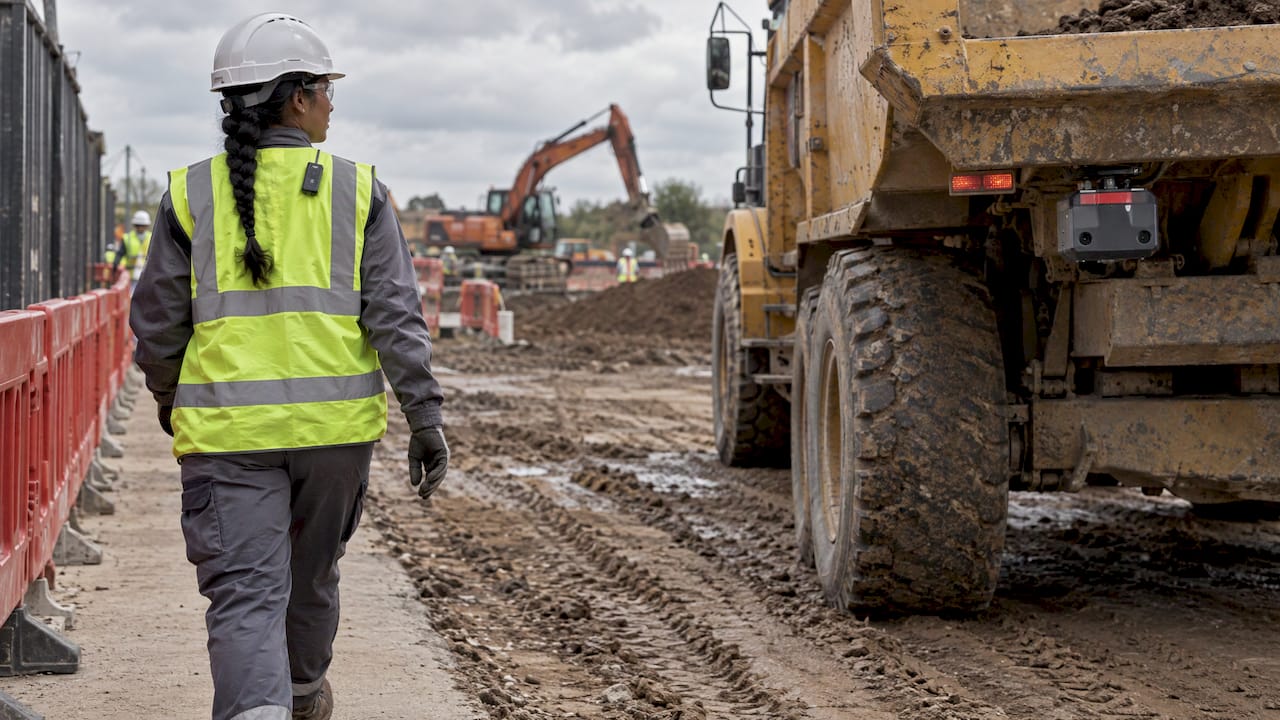
Proximity detection systems for construction sites detect when personnel, vehicles or objects enter the hazard zone around operating equipment. When this happens, the system alerts both the equipment operator and the person on foot, or either one. Technologies include radar, ultrasonic sensors, radio tags or badges, Bluetooth beacons, ultra-wideband (UWB) and LiDAR. Choosing the right type depends on the risks present, the equipment fleet and how the site operators like to work. This article explains how each technology works, how to select the right one for your site conditions, and installation, testing and maintenance requirements.
PODTECH's Site Safety Integrations
PODTECH creates tailored software and infrastructure integrations including construction safety systems and smart building monitoring solutions. Learn More
TL;DR
Proximity detection alerts the operator and pedestrians prior to the equipment and person making contact. Proximity detection can be used to enforce a safety plan. It is not a substitute for a safety plan.
Broadly speaking, there are two families of sensors. Object sensors such as radar, sonar and cameras sense anything within an area or zone. Tag-based sensors such as RF, BLE and UWB sense people or assets that are carrying a tag.
Pick the use case first: backup alarms, blind spot detection, swing-out sensors or work-zone invasion alerts. Then compare throw-distance, accuracy, price, maintenance and ease of use.
- Associate technology with spotters, traffic control plans and training. Federal guidance consistently treats these as complementary controls, not isolated fixes.
- Schedule and test the system. Treat alarm logic like any other operational set point that needs tuning with the operators who hear it every shift.
Table of Contents
- Why construction sites need proximity detection
- How proximity detection works
- Types of proximity detection technology
- What US rules and guidance say
- How to choose a system for your site
- Installation, configuration and integration
- Testing and maintaining the system
- Our perspective
- Bringing proximity data into one platform
- A practical rollout plan
- FAQ
- Sources
Why construction sites need proximity detection
Construction places heavy equipment and pedestrians into close proximity. Excavators swing their booms, dump trucks back up, loaders top curbs and operators cannot always see around the equipment.
OSHA defines backovers as collisions between a backing vehicle and a worker behind the vehicle. It points to blind spots and workers who are unaware or unable to hear backup alarms as common causes. OSHA's guidance on preventing backovers also includes spotters, internal traffic control plans and proximity detection devices as solutions.
It is not just a construction issue. NIOSH has shown that blind zones surrounding large surface-mining equipment can be enormous and can contribute to collisions. The same visibility problem affects a 40-tonne dump truck moving around a civil works site or a data centre construction project.
The hazards proximity detection targets most often include:
- Backing vehicles. Trucks, loaders and compactors reversing into people or objects.
- Blind spots. Regions beside and in front of a vehicle that are not visible using mirrors and cameras alone.
- Swing radius. The arc of an excavator or crane counterweight.
- Work-zone intrusion. Vehicles or pedestrians entering an active workspace unexpectedly.
- Equipment-to-equipment contact. Two machines, or a machine and a structure, closing too fast.
How proximity detection works
All systems consist of three things: something to sense, logic to determine, and something to alert with. Variation occurs in how each of those pieces is implemented.
Sensing. Sensors detect that something is around them within a predetermined radius or zone and relay that information to warning devices or software platforms. Some sensors respond to anything in the zone. Others only respond to people or assets carrying a tag.
Deciding. Distance is compared to a threshold, and better systems also consider speed and direction. A worker standing 8 metres behind a parked truck is not necessarily an event. That same worker standing 2 metres behind a truck moving in reverse is.
Alerting. Alerts may be sent to the operator through a cab display, audible tone or vibration, to the person on foot through a vibrating or flashing wearable, or to both. Some tag-based electromagnetic systems can also be programmed to take action, such as stopping the vehicle when a worker enters a predetermined danger zone.
Types of proximity detection technology
Research and industry guidance commonly discuss radio-frequency, Bluetooth, infrared, LiDAR, radar, sonar, GPS and UWB techniques. The right choice depends on whether you need to detect any object or only tagged people and assets.
| Technology | What it detects | Typical strength | Watch for |
|---|---|---|---|
| Radar and sonar | Any object in a zone, tagged or not | Works without worker tags; good for backing | Cannot tell a worker from a pile of material, so nuisance alarms are possible |
| RF tag-based | Workers or assets wearing a tag | Positive identification of people; can trigger interventions | Everyone must wear a tag, every shift |
| Bluetooth Low Energy (BLE) | Tagged workers near beacon-equipped machines | Low-cost and scalable; signal strength estimates proximity | Range varies by receiver class; signal strength is an estimate |
| UWB | Tagged workers and zones | Precise ranging; instant alarms to both parties | Higher hardware cost; needs careful setup |
| LiDAR and infrared | Objects in a line of sight | Detailed shape detection | Limited by range and line of sight |
| GPS-based | Positions of machines and, with tags, people | Wide-area awareness | Weak in urban canyons, tunnels and enclosed structures |
Object sensors: radar and sonar
OSHA notes that radar and sonar proximity devices can alert drivers to objects behind vehicles. They are especially useful for fleets where you cannot depend on every visitor, driver or subcontractor to wear a tag. The tradeoff is that they respond to objects rather than people specifically.
Tag-based systems: RF, BLE and UWB
Tag systems tell you who or what is nearby. OSHA notes that tag-based systems may warn motorists or employees. BLE is often attractive because it is relatively low cost and scalable, with beacons on equipment communicating with receivers worn by workers and estimating proximity from signal strength.
UWB can go further. Published designs and commercial systems use UWB for more precise ranging, simultaneous alerts on worker and equipment, and in some cases automatic shutdown or intervention logic.
LiDAR and line-of-sight sensing
Laser-based sensing provides robust spatial information and can be excellent for defining shapes and zones. However, it is limited by distance and line of sight. If your site is crowded with stacked materials, barriers or irregular terrain, expect blind spots.
Cameras as a partner technology
A sensor tells you that something is there. A camera helps the operator see what is there. NIOSH has recommended using sensor-based systems together with video cameras so the operator gets both an alarm and a visual picture of the blind zone.
What US rules and guidance say
There is not currently a single unified federal mandate requiring proximity detection technology on all construction equipment. What federal rules and guidance do provide is a framework for minimum controls and accepted supporting measures.
OSHA's construction standards do not allow backing a motor vehicle with an obstructed rear view unless it has a reverse signal alarm audible above ambient noise, or it is backed only when an observer signals that it is safe to do so. OSHA's interpretation letters discussing trucks backing on construction sites point to the relevant standards and should be read in full before anyone decides to rely on technology in place of either of those baseline controls.
NIOSH provides recommendations rather than enforceable rules. In dump-truck work and similar operations, it recommends employers consider cameras, electronic signalling devices or sensors in addition to a written safety program, internal traffic control plans and employee training.
The practical takeaway is simple: proximity detection is a supporting control. It strengthens a safety system, but it does not replace planning, spotters, traffic management, training or operator discipline.
How to choose a system for your site
The best system is the one that fits your hazards, your fleet and your operating culture. Start with the problem you are trying to solve, not the sensor brand.
- Define the hazard scenario. Are you trying to prevent backovers, protect an excavator swing radius, stop work-zone intrusion, or reduce equipment-to-equipment contact?
- Decide whether you need object detection or person identification. If visitors and subcontractors may not wear tags, object sensing may be essential. If you need to know that a specific worker is in the zone, tag-based systems are stronger.
- Map the site conditions. Dust, rain, mud, reflective surfaces, stacked materials, enclosed structures and urban canyons all affect performance.
- Review the fleet. Different machines have different blind spots, power availability, mounting points and vibration profiles.
- Set the alarm philosophy. Decide who gets alerted, when, and how aggressively. Too many nuisance alarms will cause operators to ignore the system.
- Plan for human factors. If the system depends on tags, workers must wear them consistently and supervisors must enforce that habit every shift.
- Think about data and reporting. If you want trend analysis, near-miss review or compliance evidence, choose a system that can export usable event data.
When comparing vendors, ask practical questions such as:
- What is the real detection range? Not just the brochure range, but the range in your use case.
- How accurate is the zone boundary? Especially if you need to distinguish warning from danger zones.
- How often do nuisance alarms occur? Ask for field references, not just lab claims.
- What maintenance is required? Sensor cleaning, calibration, battery replacement, firmware updates and tag management all matter.
- Can the system integrate with cameras, telematics or site software?
- What happens when a component fails? You want clear fault states, not silent degradation.
Installation, configuration and integration
Installation quality has a major effect on performance. A good sensor mounted in the wrong place becomes a bad system.
During installation, teams should pay attention to:
- Mounting position. Sensors need a clear field of view or a predictable detection pattern relative to the hazard zone.
- Power and wiring. Construction equipment is a harsh electrical environment. Protect wiring from abrasion, vibration and water ingress.
- Zone tuning. Warning and danger zones should reflect actual machine movement, stopping distance and operator reaction time.
- Operator interface. Alerts must be obvious without being overwhelming. Visual, audible and haptic cues should be tested in real operating conditions.
- Wearable management. If tags or badges are used, charging, assignment, replacement and shift handoff need a defined process.
Integration is where many deployments either become truly useful or remain isolated gadgets. A proximity event is more valuable when it can be correlated with machine identity, operator, location, time, camera footage and site conditions.
For example, a site may want proximity alerts to feed into a central dashboard, generate near-miss reports, trigger supervisor notifications, or be reviewed alongside telematics and video. That requires clean interfaces, event normalization and a clear data model.
Testing and maintaining the system
Proximity detection should be treated like any other safety-critical system: installed, commissioned, tested, documented and re-tested.
A practical maintenance program usually includes:
- Pre-shift functional checks. Confirm sensors, alarms, displays and wearables are working before equipment enters service.
- Routine cleaning and inspection. Mud, dust and impact damage can degrade performance quickly.
- Battery and charging management. Tag-based systems fail if tags are uncharged or missing.
- Periodic zone validation. Reconfirm that warning distances still match the machine, attachment and operating pattern.
- Firmware and software updates. Keep devices current, but validate changes before broad rollout.
- Event review. Look for nuisance alarms, missed detections and operator feedback to refine the setup.
Alarm logic often needs tuning after deployment. If the system alarms too early or too often, operators may lose trust in it. If it alarms too late, it is not doing its job. The right balance usually comes from field testing with the crews who use the equipment every day.
Our perspective
In practice, the strongest deployments are rarely just a single sensor bolted to a machine. They are layered systems built around the actual workflow of the site.
A backing truck may use object sensing for universal coverage, a camera for operator confirmation, and site rules that define travel lanes and spotter procedures. An excavator in a congested area may use a tag-based exclusion zone because the site wants positive identification of workers entering the swing radius. A large project may use both, depending on the task.
That is why we recommend starting with the hazard map and the operating model, then selecting the technology stack that supports them. The goal is not to buy the most advanced sensor. The goal is to reduce exposure in a way crews will actually use.
Bringing proximity data into one platform
Once proximity systems are deployed, the next challenge is making the data useful. Different vendors produce different event formats, timestamps, device identifiers and alert states. Without normalization, it is difficult to compare events across fleets or projects.
A unified platform can help by collecting events from multiple systems and presenting them in one operational view. That makes it easier to answer questions such as:
- Which machines generate the most proximity alerts?
- Which zones or tasks create repeated near-miss patterns?
- Are alerts concentrated on certain shifts, crews or site areas?
- Do alarm rates drop after traffic-plan changes or retraining?
- Can a supervisor review the event alongside video or telematics?
This is where software integration matters. The value is not only in the real-time alert. It is also in the ability to learn from the event stream and improve site controls over time.
A practical rollout plan
If you are introducing proximity detection for the first time, a phased rollout usually works better than a site-wide launch on day one.
- Choose one high-risk use case. Backing dump trucks or excavator swing-radius protection are common starting points.
- Pilot on a small fleet. Use a limited number of machines and crews so you can tune zones and alarm behavior quickly.
- Train operators, spotters and supervisors together. Everyone should understand what the alerts mean and what action is expected.
- Measure nuisance alarms and missed detections. Capture operator feedback early and adjust.
- Document procedures. Include pre-shift checks, tag issuance, escalation paths and maintenance responsibilities.
- Expand gradually. Once the first use case is stable, extend to additional machines, zones or projects.
This approach reduces resistance, improves trust in the system and gives the site time to build the operating habits that make the technology effective.
FAQ
Is proximity detection required on all construction equipment?
No. There is no blanket federal requirement covering all construction equipment. However, OSHA and NIOSH guidance make clear that employers must manage backing and struck-by risks using appropriate controls, and proximity detection can be one of those controls.
What is the difference between object sensing and tag-based sensing?
Object sensing detects anything in a zone, whether it is a person, vehicle, wall or pile of material. Tag-based sensing detects only people or assets carrying a compatible tag or wearable.
Which technology is best for backing vehicles?
Radar and sonar are common choices because they do not depend on every person wearing a tag. Many sites also pair them with cameras so operators can verify what triggered the alert.
When is UWB worth the extra cost?
UWB is often worth considering when you need more precise ranging, worker-specific detection, simultaneous alerts to both parties, or more advanced zone logic than BLE or simpler RF systems can provide.
Can proximity detection stop a machine automatically?
Some systems can, especially certain tag-based or integrated control systems. Whether that is appropriate depends on the machine, the task, the safety case and the manufacturer or integrator design.
How do you reduce nuisance alarms?
Start with the right technology for the hazard, mount it correctly, tune the zones in the field, and review event data with operators. Nuisance alarms are usually a design, placement or configuration problem rather than an unavoidable fact of life.
Sources
- OSHA. Preventing Backovers
- OSHA. Letter of interpretation on trucks backing up on construction sites
- NIOSH. Blind areas around large haul vehicles and use of cameras and sensors
- National Safety Council. Proximity sensors for avoiding equipment strikes
- US DOT / ROSA P. Smart work-zone study discussing BLE-based proximity approaches
- PubMed Central. Robust Construction Safety System using UWB
Need help integrating construction safety systems?
PODTECH designs tailored software and infrastructure integrations for construction safety, monitoring and operational visibility.
Learn More